What is a Tutorial Request Form?
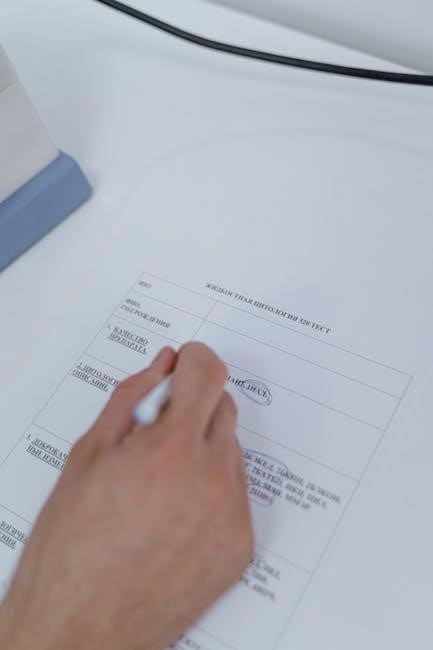
Tutorial request forms facilitate streamlined learning support, enabling individuals or groups to formally ask for assistance with specific topics․ These forms are vital for efficient resource allocation․
Definition and Purpose
A tutorial request form is a structured document used to formally solicit educational assistance․ Its primary purpose is to gather essential information about the learner’s needs, the specific subject matter requiring clarification, and logistical preferences for scheduling․ This standardized approach ensures tutors can prepare effectively and deliver targeted support․
The form acts as a communication bridge, outlining expectations and facilitating a focused learning experience․ It helps institutions and educators manage tutorial requests efficiently, prioritizing based on urgency and available resources, ultimately enhancing the overall learning process for all involved․
Why Use a Tutorial Request Form?
Employing a tutorial request form offers numerous benefits․ It establishes a clear, documented request, preventing misunderstandings about the scope of assistance needed․ Forms streamline the process for both requesters and tutors, ensuring all necessary details are collected upfront․
This structured approach aids in prioritizing requests and allocating resources effectively․ Furthermore, it facilitates tracking and analysis of common learning challenges, allowing institutions to improve their overall educational offerings and proactively address student needs․ It’s a key component of efficient learning support․
Key Components of a Tutorial Request Form
Essential elements include requester details, specific tutorial subjects, preferred learning approaches, and scheduling availability – all crucial for effective assistance coordination․
Requester Information
This section gathers fundamental details about the individual submitting the tutorial request․ Typically, it includes the requester’s full name, contact information – such as email address and phone number – and their affiliation, whether they are a student, employee, or another stakeholder․
Additionally, specifying their role or department can aid in prioritizing requests and directing the tutorial appropriately․ Some forms may also request a unique identifier, like a student ID, for tracking purposes and access to relevant system information․ Accurate requester information ensures seamless communication and efficient support delivery․
Tutorial Topic Details
This crucial section focuses on precisely defining the subject matter requiring tutorial assistance․ It necessitates a clear and concise description of the topic, including specific concepts, skills, or tasks the requester needs help with․
Providing context, such as related coursework or project details, is highly beneficial․ Forms often include space to specify the current level of understanding and any prior attempts to resolve the issue independently․ Detailed topic information allows tutors to prepare effectively and deliver targeted support․
Preferred Learning Style
Acknowledging diverse learning preferences is key to effective tutoring․ This section allows requesters to indicate how they best absorb information – visually, auditorily, or kinesthetically․ Options might include a preference for diagrams, verbal explanations, or hands-on practice;
Understanding these styles enables tutors to tailor their approach, maximizing comprehension and retention․ Some forms offer space for detailed descriptions, while others provide multiple-choice options․ Recognizing individual needs fosters a more productive and positive learning experience․
Scheduling Preferences
Efficient scheduling is crucial for successful tutorials․ This section gathers information about the requester’s availability, including preferred days and times․ Offering a range of options – mornings, afternoons, evenings, or weekends – increases the likelihood of finding a mutually convenient slot․
Forms may also ask about time zone and any existing commitments․ Specifying desired session length is also beneficial․ Clear scheduling preferences minimize back-and-forth communication and ensure timely assistance․

Types of Tutorial Request Forms
Various forms cater to different needs: individual requests for personalized help, group forms for collaborative learning, and urgent forms for immediate assistance with critical issues․
Individual Tutorial Request Form
This form focuses on a single learner’s specific needs, allowing detailed explanation of the challenging topic․ It typically requests information like the learner’s name, contact details, and a precise description of the area requiring clarification․
Crucially, it asks about prior knowledge, learning goals, and any specific resources already consulted․ This detailed approach ensures the tutor can tailor the session effectively․ The form also often includes space for the learner to indicate their availability for a session, facilitating scheduling convenience․
Ultimately, it’s about personalized support․
Group Tutorial Request Form
Designed for collaborative learning, this form gathers details about the group needing assistance․ It requires a designated contact person and the total number of participants․ A clear statement of the shared learning objective is essential, alongside the group’s collective prior knowledge of the subject matter․
The form also asks about preferred group size for effective interaction and any specific logistical requirements, like room size or equipment needs․ Scheduling becomes more complex, so availability from multiple individuals must be considered․
It streamlines group learning support․
Emergency/Urgent Tutorial Request Form
Prioritizing immediate learning needs, this form is for situations demanding swift assistance – perhaps a critical project deadline or an unexpected skill gap hindering progress․ It necessitates a detailed explanation of the urgency and potential consequences of delayed support․
Expect a streamlined process, bypassing standard prioritization queues․ The form should request availability immediately, acknowledging potential disruption to existing schedules․
Clear communication of the issue’s impact is crucial for rapid response and effective resource allocation during critical moments, ensuring minimal disruption․
Creating an Effective Tutorial Request Form
Well-designed forms gather essential details efficiently, using clear language and logical structure to streamline the tutorial request process for both parties involved․
Form Design Principles
Prioritize user experience by ensuring the form is intuitive and easy to navigate․ Employ a clean layout with logical grouping of fields, minimizing cognitive load․ Utilize white space effectively to enhance readability and prevent a cluttered appearance․
Consider mobile responsiveness for accessibility on various devices․
Maintain consistency in design elements like fonts, colors, and button styles․ Implement clear labeling and instructions for each field, avoiding ambiguity․ Incorporate validation to guide users and prevent errors during submission․ A thoughtfully designed form encourages completion and provides valuable data․
Essential Fields to Include
Requester details – name, contact information, and potentially department or student ID – are crucial for follow-up․ A detailed description of the tutorial topic is paramount, allowing for accurate tutor assignment․ Include a field for specific questions or areas of difficulty․
Preferred dates and times facilitate scheduling, while a urgency level indicator helps prioritize requests․ Consider a field for prior knowledge to tailor the tutorial effectively․ Finally, a space for additional comments allows requesters to provide context․
Using Clear and Concise Language
Tutorial request forms should employ straightforward language, avoiding jargon or technical terms unfamiliar to all users․ Instructions must be unambiguous, guiding requesters through each field effortlessly․ Keep questions brief and focused, minimizing cognitive load․
Concise phrasing ensures quick completion and reduces potential misunderstandings․ Utilize bullet points or numbered lists for clarity when presenting options․ Proofread meticulously for grammatical errors and typos, fostering a professional impression and maximizing form usability․

Digital vs․ Paper Forms
Digital tutorial request forms offer accessibility and efficient data management, while paper forms provide a tangible record and may suit limited-tech environments․
Advantages of Digital Forms
Digital tutorial request forms present numerous benefits over traditional paper-based methods․ Accessibility is significantly improved, allowing requests to be submitted from anywhere with an internet connection․ Data collection becomes streamlined and centralized, facilitating easier analysis and reporting․ Automated workflows can expedite the approval process and reduce administrative overhead․
Furthermore, digital forms minimize errors associated with manual entry and offer enhanced data security through password protection and encryption․ Integration with existing Learning Management Systems (LMS) or communication platforms, like WhatsApp, fosters seamless communication and tracking․ Ultimately, digital forms contribute to a more efficient and responsive tutorial support system․
Advantages of Paper Forms
Despite the rise of digital solutions, paper tutorial request forms retain certain advantages․ They require no technological infrastructure, making them accessible even without computers or internet access․ Some individuals prefer the tactile experience of physically writing their requests, potentially leading to more thoughtful submissions․
Paper forms can also be useful in situations where digital security is a concern or where a physical record is required for auditing purposes․ They offer a simple, straightforward method for collecting basic information, particularly in environments with limited resources or technical expertise․ However, they lack the efficiency of digital counterparts․
Tools for Creating Digital Forms
Numerous platforms simplify the creation of digital tutorial request forms․ Google Forms is a popular, free option integrated with Google Workspace, offering easy customization and data collection․ Microsoft Forms, part of the Microsoft 365 suite, provides similar functionality with robust analytics․
Dedicated form builders like Typeform and Jotform offer advanced features such as conditional logic and integrations with other applications․ SurveyMonkey, while primarily for surveys, can also be adapted for request forms․ These tools streamline the process, enhancing efficiency and data management․
Workflow and Approval Process
A typical workflow involves submission, review by designated personnel for prioritization, and subsequent notification of approval or rejection to the requester promptly․
Submission Process
The submission process generally begins with the requester completing the tutorial request form, either digitally or on paper, providing all necessary details․ This completed form is then submitted through a designated channel – potentially an email address, a learning management system (LMS), or a physical drop-off location․
Confirmation of receipt should be provided to the requester, assuring them their request has been received and is being processed․ Clear instructions regarding submission methods and expected turnaround times are crucial for a smooth and transparent process, fostering trust and managing expectations effectively․
Review and Prioritization
Upon submission, tutorial requests undergo a review process, typically conducted by a designated individual or team – often a learning coordinator or subject matter expert․ This review assesses the clarity of the request, the urgency of the need, and the requester’s eligibility for support․
Prioritization is then applied, considering factors like project deadlines, the number of requesters, and the complexity of the tutorial topic․ A clear prioritization framework ensures equitable access to resources and efficient allocation of tutorial time․
Approval/Rejection Notification
Following review and prioritization, requesters receive a timely notification regarding the status of their tutorial request․ Approval notifications detail the scheduled tutorial time, the tutor assigned, and any preparatory materials needed․
Rejection notifications, while less desirable, provide a clear explanation for the decision, potentially suggesting alternative resources or support options․ Prompt and transparent communication is crucial for maintaining positive relationships and managing expectations effectively․
Integration with Existing Systems
Seamless integration with LMS, project management tools, and communication platforms like WhatsApp streamlines the tutorial request process and enhances overall efficiency․
Learning Management Systems (LMS)
Integrating tutorial request forms with an LMS creates a centralized hub for academic support․ Students can submit requests directly within their familiar learning environment, linking requests to specific courses or modules․ This integration allows instructors and support staff to easily track requests, prioritize assistance based on course enrollment, and monitor tutorial effectiveness․ Automated notifications within the LMS keep both requesters and tutors informed of progress․ Furthermore, data collected from these forms can inform curriculum improvements and identify areas where additional learning resources are needed, ultimately enhancing the student experience and academic outcomes․
Project Management Tools
Leveraging project management tools for tutorial requests allows for efficient task assignment and tracking․ Forms can automatically generate tasks for tutors, with deadlines and priority levels․ This ensures requests aren’t overlooked and resources are allocated effectively․ Progress can be monitored via Kanban boards or Gantt charts, providing a clear overview of request status․ Integration facilitates reporting on tutorial demand, tutor workload, and resolution times, aiding in resource planning and process optimization․ This approach transforms tutorial support into a manageable project, improving overall efficiency․
Communication Platforms (e․g․, WhatsApp)
Utilizing communication platforms like WhatsApp streamlines quick tutorial request submissions and updates․ While not ideal for formal requests, they’re excellent for urgent needs or quick clarifications․ Automated notifications regarding request status or tutor availability can be sent via these channels․ However, maintaining a formal record remains crucial; WhatsApp should complement, not replace, official forms․ Ensure data privacy compliance when using such platforms, and avoid sharing sensitive information․ This offers a convenient, immediate communication layer for tutorial support․
Best Practices for Managing Tutorial Requests
Effective management involves clear expectations, prompt feedback, and consistent tracking of request status to ensure efficient allocation of resources and positive learner experiences․
Setting Expectations
Clearly define the scope of tutorials offered, response times for requests, and the level of detail provided․ Communicating these boundaries upfront prevents misunderstandings and ensures realistic expectations for both requesters and tutors․ Specify whether requests will be fulfilled individually or in group sessions, and outline any limitations regarding subject matter expertise․
Furthermore, establish a process for handling requests that fall outside the defined scope or available resources․ Transparency regarding turnaround times and potential delays is crucial for maintaining positive relationships and fostering a supportive learning environment․
Providing Timely Feedback
Acknowledge receipt of tutorial requests promptly, even if a full response isn’t immediately available․ Keep requesters informed about the status of their submission – whether it’s being reviewed, prioritized, or assigned to a tutor․ Regular updates demonstrate respect for their time and need for assistance․
Offer estimated timelines for tutorial delivery and proactively communicate any unforeseen delays․ Constructive feedback on the request itself, if needed, can improve future submissions and clarify needs․
Tracking Request Status
Implement a system to monitor each tutorial request’s progress, from initial submission through completion․ This could involve utilizing digital forms with status indicators (e․g․, “Pending,” “In Progress,” “Completed”) or maintaining a spreadsheet log․ Consistent tracking allows for identifying bottlenecks and ensuring no requests fall through the cracks․
Regularly review request queues and prioritize based on urgency and available resources․ Detailed records also aid in data analysis for improving the tutorial process․

Examples of Tutorial Request Form Templates
Templates range from basic forms capturing essential details to advanced versions with detailed learning style preferences and specific topic breakdowns for tailored support․
Basic Template Overview
A fundamental tutorial request form typically includes fields for the requester’s name, contact information, and a clear description of the tutorial topic․ Essential elements also encompass the requester’s current understanding of the subject matter and specific learning objectives․ These streamlined forms prioritize simplicity, ensuring quick submission and efficient processing of requests․ They often lack extensive customization options, focusing instead on gathering core information needed to assess the request and assign appropriate resources․ This approach facilitates a rapid response to common learning needs, providing a foundational structure for more detailed requests when necessary․
Advanced Template Features
Sophisticated tutorial request forms integrate features like dynamic fields adapting to the selected topic, automated priority assignment based on urgency, and direct integration with scheduling systems․ These templates often include sections for pre-tutorial assessments to gauge existing knowledge and tailor the session accordingly․ Advanced options may also incorporate file upload capabilities for relevant materials and automated notifications throughout the request lifecycle, enhancing communication and streamlining the entire tutorial process for both requesters and tutors․
Customization Options
Tutorial request forms should offer extensive customization․ Tailor fields to specific departmental needs, adding options for software proficiency levels or course codes․ Branding with institutional logos and colors enhances professionalism․ Conditional logic—showing/hiding fields based on prior responses—improves user experience․ Integration with single sign-on (SSO) simplifies access․ Customizable email notifications ensure relevant parties stay informed․ These options guarantee the form aligns perfectly with your organization’s unique requirements and workflow, maximizing its effectiveness․

Legal Considerations
Tutorial request forms must adhere to data privacy regulations, ensuring secure handling of personal information and maintaining accessibility for all users, alongside proper record keeping․
Data Privacy
Tutorial request forms often collect personal data, necessitating strict adherence to privacy regulations like GDPR or CCPA․ Organizations must clearly outline data usage policies, obtaining explicit consent for collection and processing․
Forms should minimize data collection to only essential fields, implementing robust security measures to protect information from unauthorized access or breaches․
Data retention policies must be defined, ensuring information isn’t stored longer than necessary․ Transparency regarding data handling builds trust and demonstrates a commitment to protecting individual privacy rights when requesting tutorials․
Accessibility
Tutorial request forms must be accessible to all users, including those with disabilities, adhering to WCAG guidelines․ This involves providing alternative text for images, ensuring sufficient color contrast, and keyboard navigation support․
Forms should be compatible with assistive technologies like screen readers․ Clear and concise language, avoiding jargon, is crucial for comprehension․
Offering multiple formats – digital, paper, or alternative communication methods – broadens access․ Prioritizing inclusivity ensures equitable access to learning support for everyone requesting tutorials․
Record Keeping
Tutorial request forms necessitate diligent record keeping for tracking, analysis, and accountability․ Maintaining a secure database of submitted forms, approval statuses, and tutorial details is essential․
Records should include requester information, topic details, scheduling, and tutor assignment․ This data informs resource allocation and identifies recurring learning needs․
Retention policies must comply with data privacy regulations․ Proper documentation supports continuous improvement of the tutorial support system and demonstrates responsible resource management․
Future Trends in Tutorial Request Forms
AI-powered analysis and automated scheduling will personalize learning, streamlining requests and matching learners with optimal resources for efficient tutorial support․
AI-Powered Request Analysis
Artificial intelligence is poised to revolutionize tutorial request processing․ AI algorithms can analyze submitted forms, identifying key learning needs and skill gaps with remarkable accuracy․ This goes beyond simple keyword detection, understanding the context of the request․
Furthermore, AI can categorize requests based on complexity and urgency, automatically prioritizing those requiring immediate attention․ Machine learning models will learn from past requests, improving their ability to predict optimal tutor matches and suggest relevant learning materials․ This leads to faster response times and more effective learning interventions, ultimately enhancing the overall tutorial experience․
Automated Scheduling
Automated scheduling systems integrated with tutorial request forms dramatically reduce administrative overhead․ These systems intelligently match tutor availability with requester preferences, considering time zones and individual schedules․ AI-powered algorithms can optimize scheduling, minimizing conflicts and maximizing tutor utilization․
Integration with calendar applications (like Google Calendar or Outlook) allows for seamless booking and automated reminders․ This eliminates the back-and-forth communication typically involved in manual scheduling, providing a more efficient and user-friendly experience for both tutors and those requesting assistance, ultimately speeding up the learning process․
Personalized Learning Recommendations
Tutorial request forms, enhanced by AI, can move beyond simply scheduling help; they can offer personalized learning recommendations․ Analyzing the requested topic and the requester’s stated learning style allows the system to suggest relevant resources – articles, videos, or practice exercises – before the tutorial even begins․
This proactive approach empowers learners and maximizes the effectiveness of tutorial sessions․ Furthermore, the system can track past requests to identify recurring learning gaps and suggest preventative measures, fostering a more tailored and supportive learning environment for all users․